Claude Pro NT$600、Claude API 用量計費——如果你同時在用這些,一個月可能燒掉 NT$2,000 以上。
有一個開源專案叫 OpenClaude,口號是「runs anywhere, uses anything」。它讓你用 Claude Code 的工作方式,但後端換成完全免費的本地 Ollama 模型。
這篇文章記錄我用 OpenClaude 0.8.0 + gemma4:e2b 跑了五個實驗的真實結果,全程 NT$0,資料不出本機。
Claude Pro, Claude API usage fees — if you're running both, you can easily clear NT$2,000 a month. That's real money.
There's an open-source project called OpenClaude with the tagline "runs anywhere, uses anything." It gives you the Claude Code workflow — slash commands, file tools, MCP, streaming output — but lets you swap the Anthropic API backend for a free local Ollama model.
This is what happened when I ran five experiments with OpenClaude 0.8.0 + gemma4:e2b. NT$0 spent. Data never left the machine.
OpenClaude 是什麼?
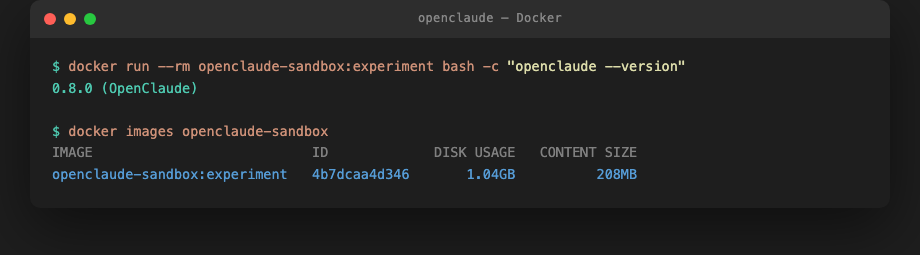
OpenClaude 是 Claude Code 的開源替代品,讓你把 Anthropic API 換成 Ollama 本地模型、GitHub Models、Gemini 或任何 OpenAI 相容後端,工作介面保持 terminal-first 不變——slash commands、file tools、MCP、streaming output 都支援。
📌 為什麼不用 DeepSeek? OpenClaude 支援 DeepSeek 作為後端,但涉及中國服務的資料主權疑慮。本文使用 Google 的 gemma4:e2b。
What is OpenClaude?
OpenClaude is an open-source Claude Code alternative that lets you replace the Anthropic API backend with Ollama local models, GitHub Models, Gemini, or any OpenAI-compatible endpoint — while keeping the same terminal-first interface: slash commands, file tools, MCP, streaming output.
📌 Why not DeepSeek? OpenClaude supports DeepSeek as a backend, but Chinese service data sovereignty concerns apply. This review uses Google's gemma4:e2b.
先說資安:這個工具有一個 High 漏洞
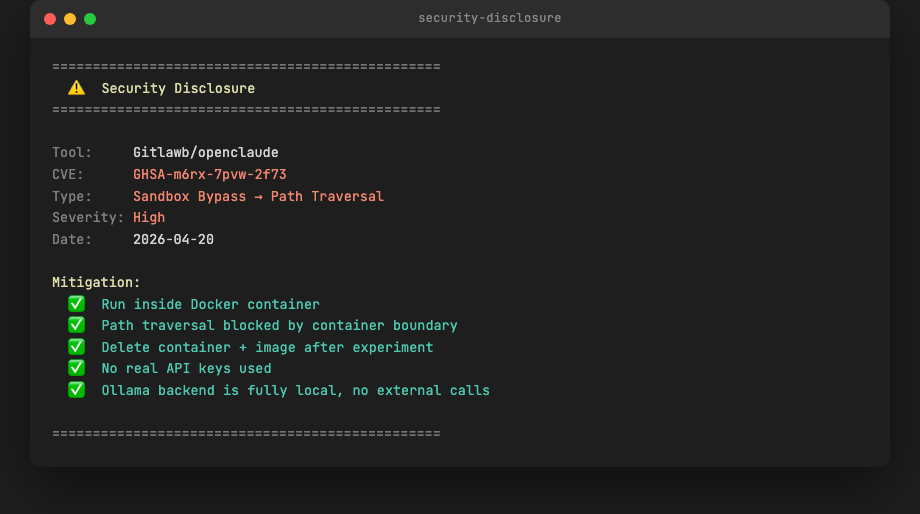
使用前必須知道:OpenClaude 有一個公開的 High 嚴重度漏洞(GHSA-m6rx-7pvw-2f73),類型是 Sandbox Bypass → Path Traversal,發布日期 2026-04-20。
處理方式:用 Docker 容器隔離執行,路徑穿越漏洞被容器邊界阻擋,實驗完成後自動刪除容器與映像。共振站不推薦在生產環境直接安裝。
Security first: this tool has a known High vulnerability
Before anything else: OpenClaude has a publicly disclosed High-severity vulnerability (GHSA-m6rx-7pvw-2f73) — Sandbox Bypass via Path Traversal, disclosed 2026-04-20.
Mitigation for this experiment: run inside a Docker container. The container boundary blocks path traversal. Container and image deleted after the session ends. Resonance Stack does not recommend direct installation into a production environment until this is patched.
安裝:第一個坑在 Docker
開始之前先確認起始狀態——這樣後面遇到問題才知道是「OpenClaude 帶來的」還是「原本就有」。
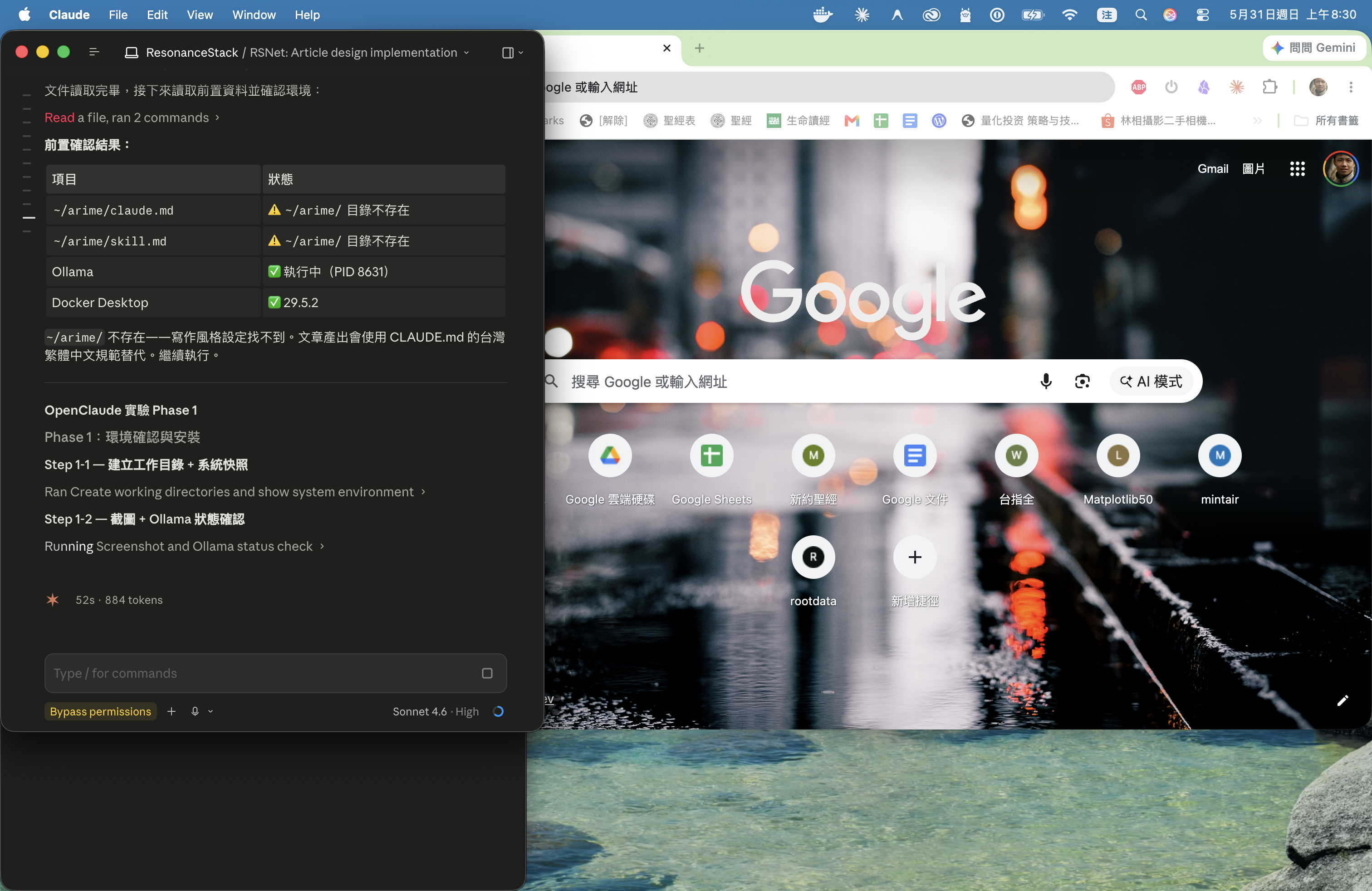
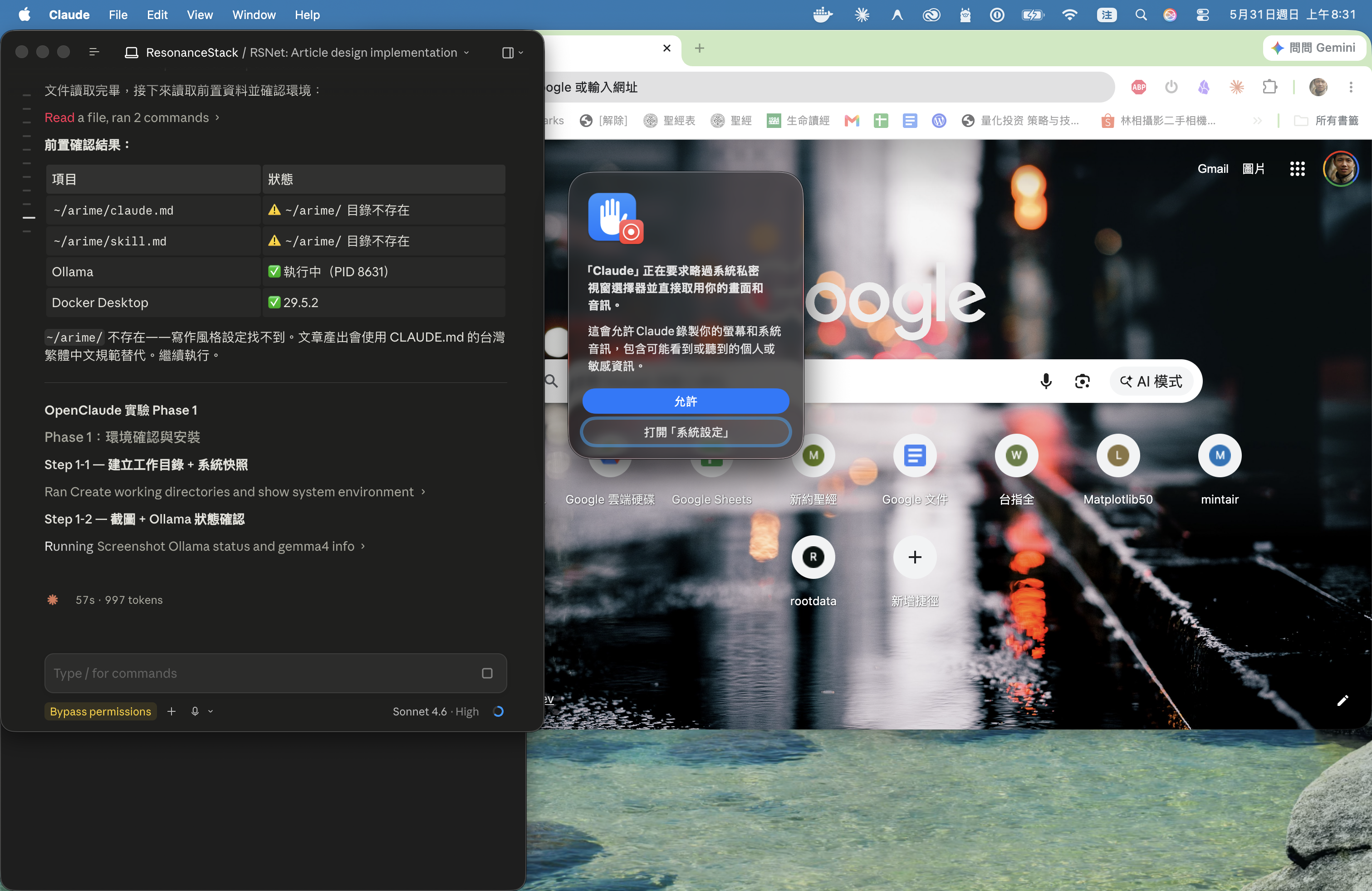
兩件事就緒就可以動手:基本工具鏈 + Ollama 在跑、gemma4:e2b 已下載。下面開始 Docker。
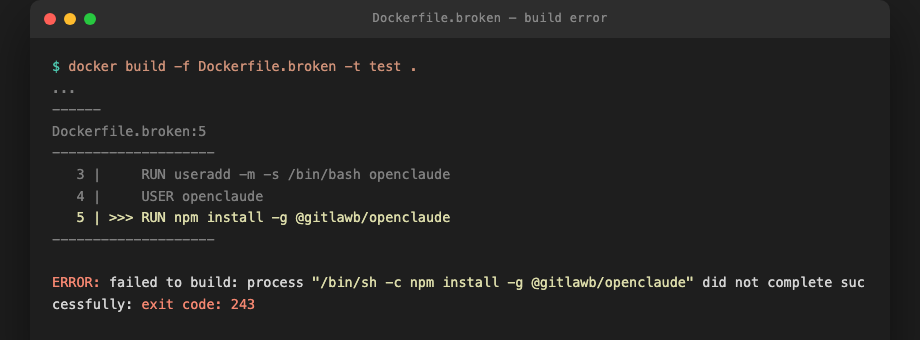
原始 Dockerfile 把 npm install -g 放在切換非 root 用戶之後,結果出現 exit code 243。修正方式是把全域安裝移到 USER openclaude 行之前,讓 root 執行安裝,再降權。
環境變數設定:
export CLAUDE_CODE_USE_OPENAI=1
export OPENAI_BASE_URL=http://host.docker.internal:11434/v1
export OPENAI_MODEL=gemma4:e2b
三行設定,Docker 容器內的 OpenClaude 就能連回宿主機的 Ollama。
Installation: the first gotcha is Docker
Before anything else, snapshot the starting state — so if something breaks later, you know whether OpenClaude introduced it or it was already broken.
Two things ready and you're good to go: base toolchain + Ollama running with gemma4:e2b pulled. Now Docker.
The original Dockerfile ran npm install -g after switching to a non-root user — exit code 243. Fix: move the global install before the USER openclaude line so root handles it, then drop privileges.
Three environment variables are all you need:
export CLAUDE_CODE_USE_OPENAI=1
export OPENAI_BASE_URL=http://host.docker.internal:11434/v1
export OPENAI_MODEL=gemma4:e2b
With these set, OpenClaude inside the Docker container routes all requests back to Ollama running on the host machine.
五個實驗
實驗一:非技術讀者能理解嗎?
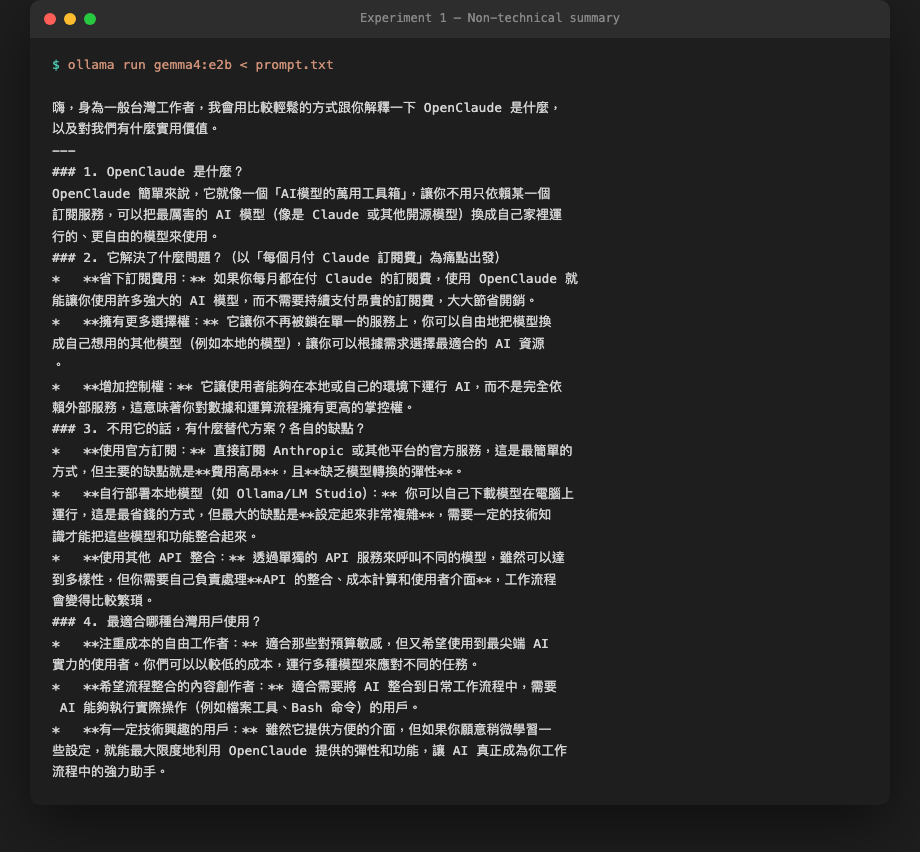
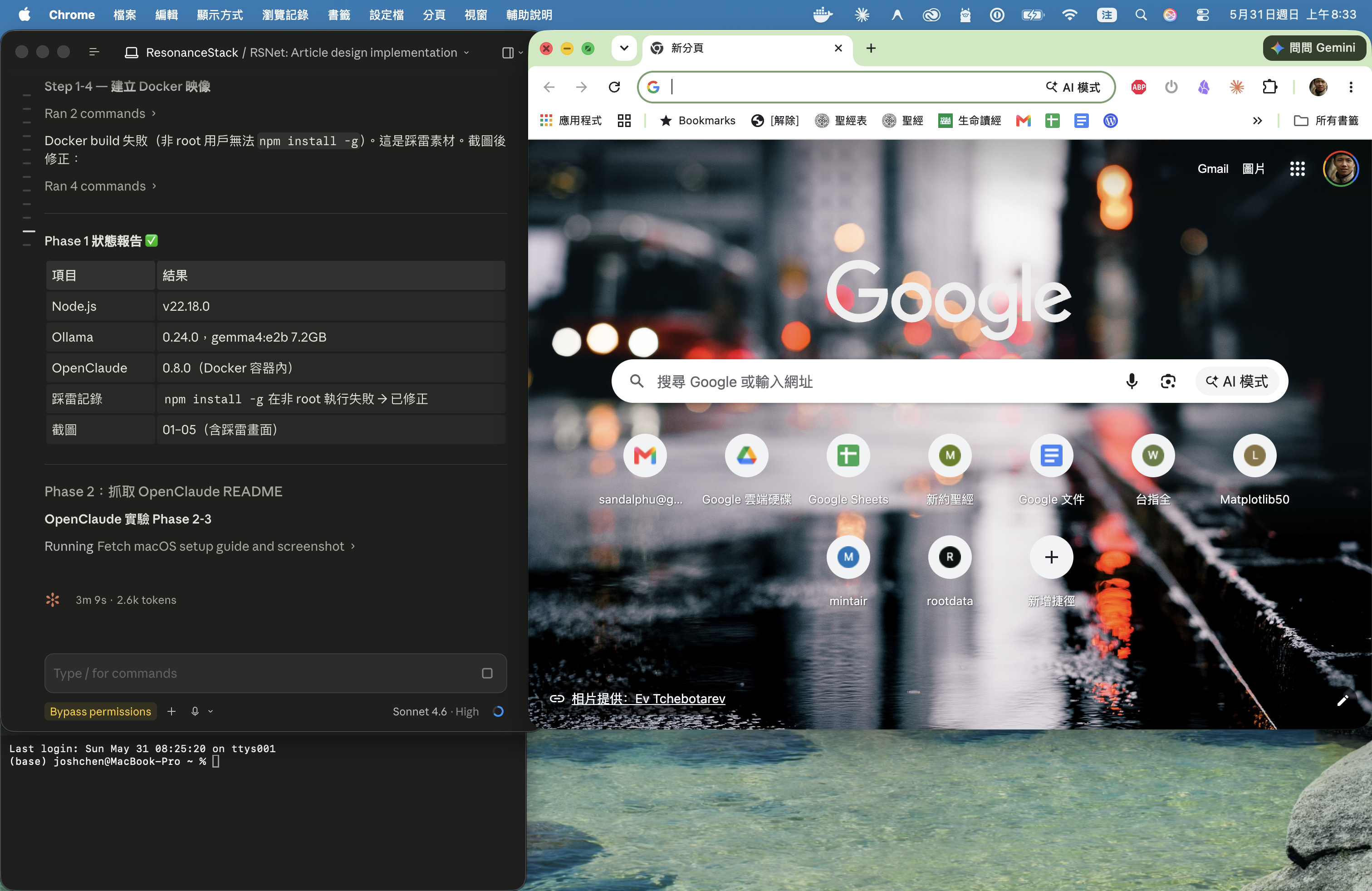
有一個問題:直接 pipe README 給 Ollama 會因為前段的 HTML badges 干擾輸出。第一次結果幾乎是廢話。改用精簡 prompt 直接說明工具背景,第二次品質明顯改善。
這是文章的踩雷素材,也是 gemma4:e2b 的一個已知限制:對雜訊輸入的容忍度不如 Claude Sonnet。
實驗二:技術比較表格
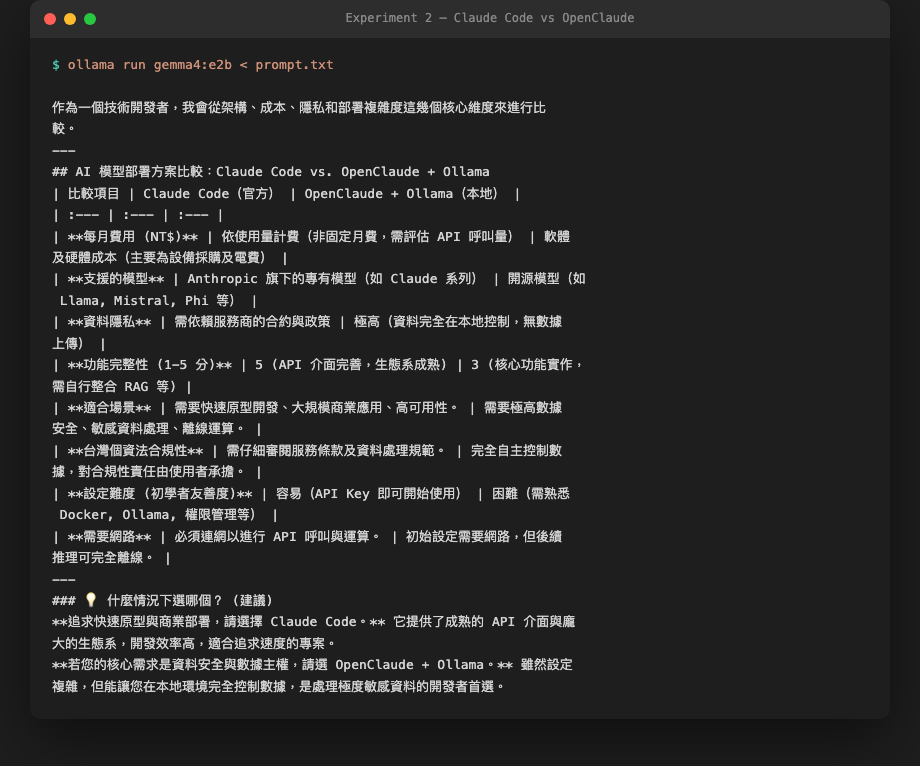
gemma4:e2b 能產出格式正確的 Markdown 表格,比較項目包含費用、隱私、個資法合規、設定難度。表格可以直接嵌入文章。
實驗三:台灣設定步驟
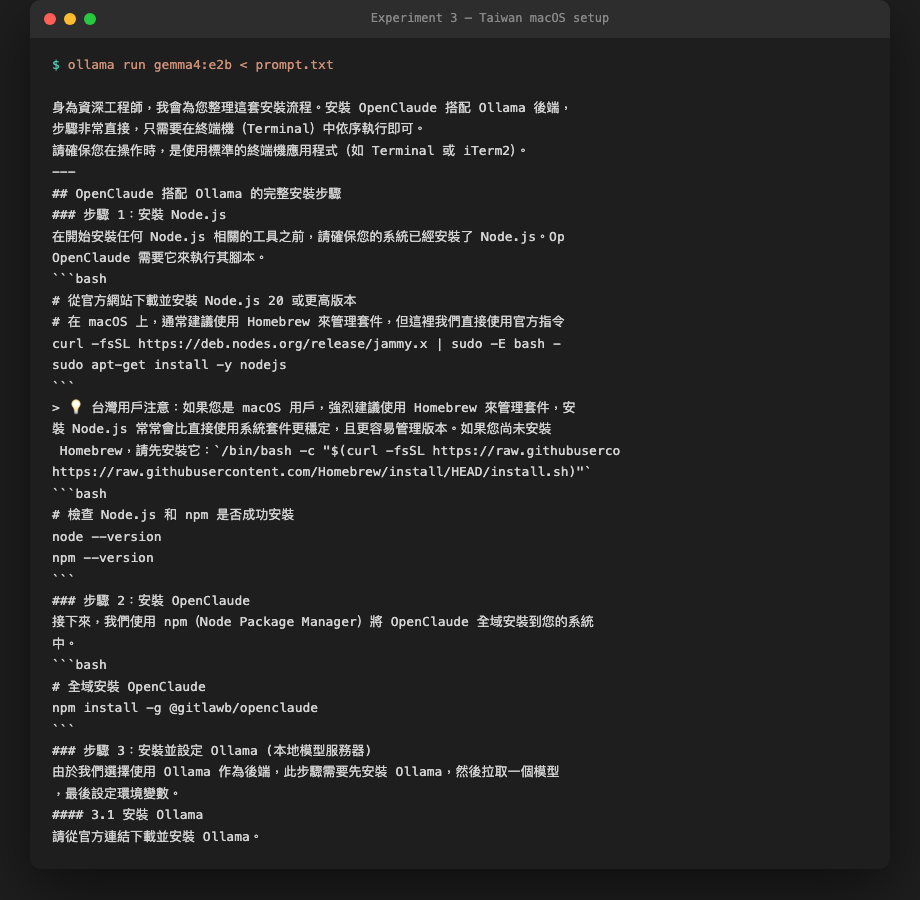
有一個錯誤需要人工修正:Node.js 安裝指令用了 Linux apt-get,不是 macOS brew。其他步驟可執行。macOS 用戶需把 Step 1 換成 brew install node。
實驗四:Obsidian 關鍵概念萃取
![gemma4:e2b 輸出:12 個關鍵概念,含英文、繁中、一句話定義、[[雙括號]] Obsidian 連結](../../../content/local-ai/openclaude-ollama/screenshots/10-result-concepts.png)
12 個概念、[[雙括號]] 格式、定義精簡。可以直接貼進 Obsidian,反向連結自動生成。
實驗五:成本計算
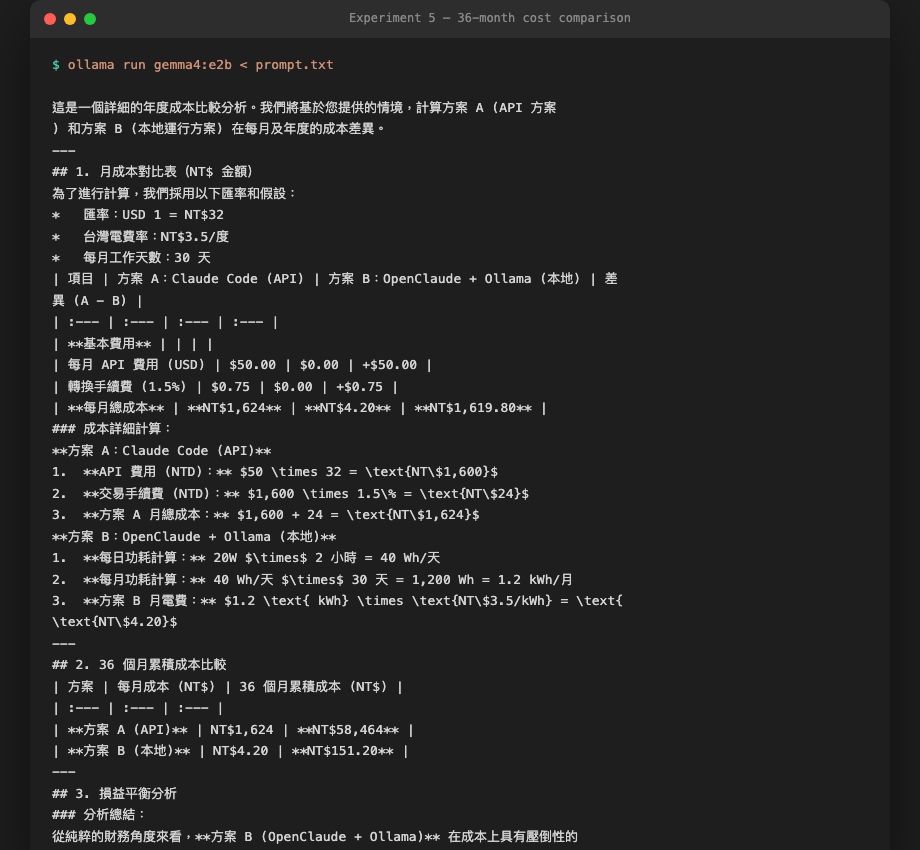
| 方案 | 每月 | 36 個月累積 |
|---|---|---|
| Claude Code API | NT$1,624 | NT$58,464 |
| OpenClaude + Ollama | NT$4 | NT$151 |
計算基礎:API 方案 USD 50/月 × 匯率 32 + 手續費 1.5%;本地方案每天 20W × 2 小時 × 台電 NT$3.5/度。
Five experiments
Experiment 1: Can a non-technical reader follow this?
A problem surfaced immediately: piping the raw README to Ollama produced near-useless output. The README's opening section is packed with HTML badges and sponsor tables — enough noise to confuse the model. First pass was garbage.
Second attempt: a concise prompt with the tool's context written in plain sentences. Output quality improved substantially. This is a known gemma4:e2b limitation — noise tolerance is lower than Claude Sonnet.
Experiment 2: Can it generate a technical comparison table?
gemma4:e2b produced a correctly-formatted Markdown table covering cost, privacy, Taiwan Personal Data Protection Act compliance, and setup difficulty. Table is directly usable in an article.
Experiment 3: Taiwan-specific setup steps
One error needs manual correction: the Node.js install command used Linux apt-get instead of macOS brew. Everything else was executable. macOS users: replace Step 1 with brew install node.
Experiment 4: Obsidian concept extraction
12 concepts, [[double-bracket]] format, concise definitions. Paste directly into Obsidian — backlinks auto-generate.
Experiment 5: Cost calculator
| Plan | Monthly | 36-month total |
|---|---|---|
| Claude Code API | NT$1,624 | NT$58,464 |
| OpenClaude + Ollama | NT$4 | NT$151 |
Basis: API plan at USD 50/month × NT$32 exchange rate + 1.5% foreign transaction fee. Local plan: 20W × 2 hours/day × NT$3.5/kWh (Taiwan Power rate).
自動產出 Obsidian 筆記
![自動產出的 Obsidian 筆記:五個實驗結果合併,含 [[雙括號]] 反向連結,1,121 字](../../../content/local-ai/openclaude-ollama/screenshots/12-obsidian-note-generated.png)
五個實驗的輸出自動合併成一份帶有 [[雙括號]] 反向連結的 .md 筆記,可以直接放進 Obsidian Vault。這個流程本身比 OpenClaude 更有用:任何 GitHub 工具都可以用同樣方式處理。
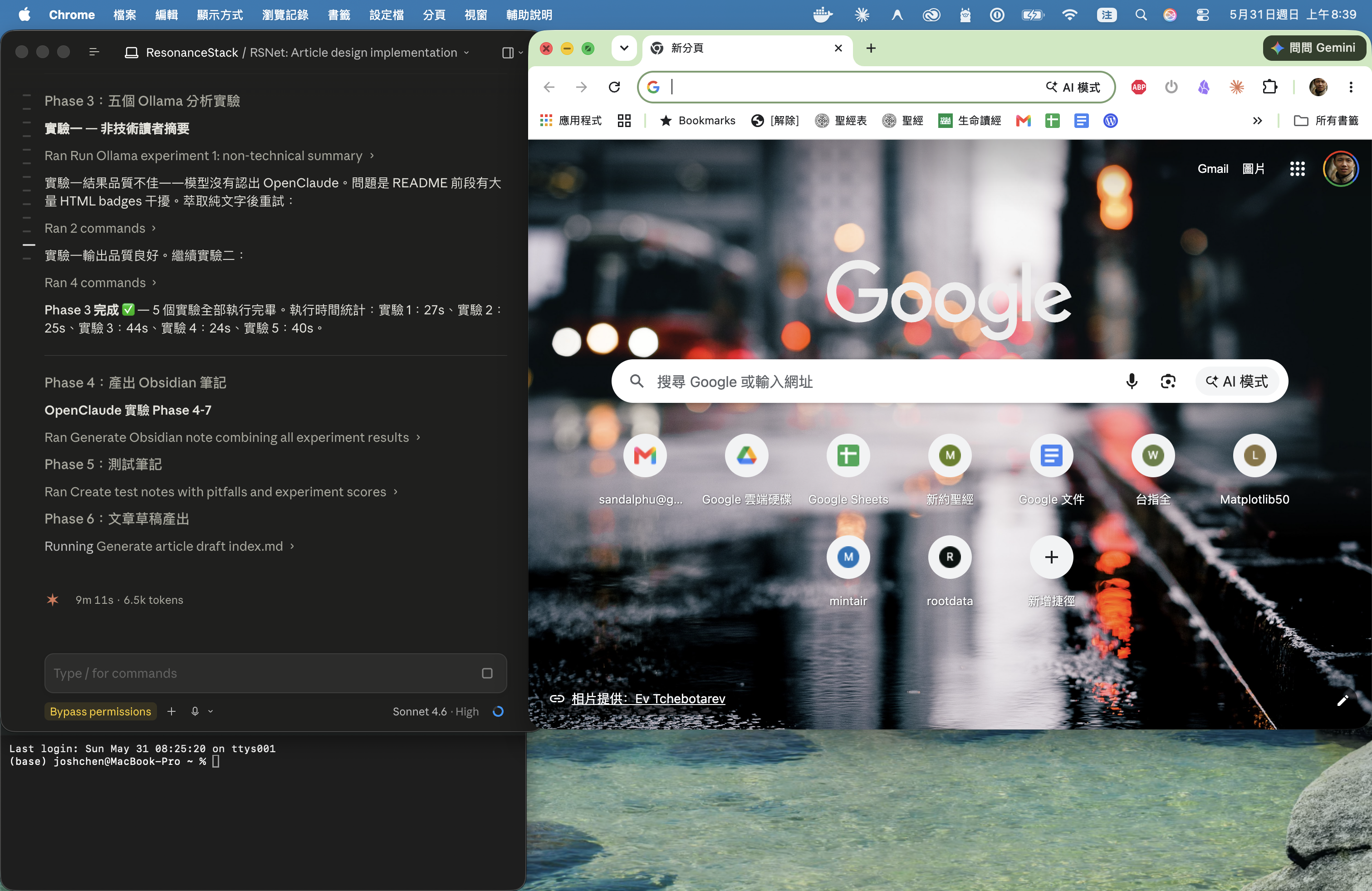
Auto-generating an Obsidian note
All five experiment outputs were merged into a single .md file with [[double-bracket]] backlinks — ready to drop into an Obsidian Vault. Honestly, this workflow is more useful than OpenClaude itself: the same pattern works for any GitHub tool's README.
用完就拆:容器抹掉、系統復原
前面〈先說資安〉那段我講過 Docker 容器隔離 + 實驗結束就刪。「就刪」是承諾,不是體感——所以這段把過程拍下來給你看。
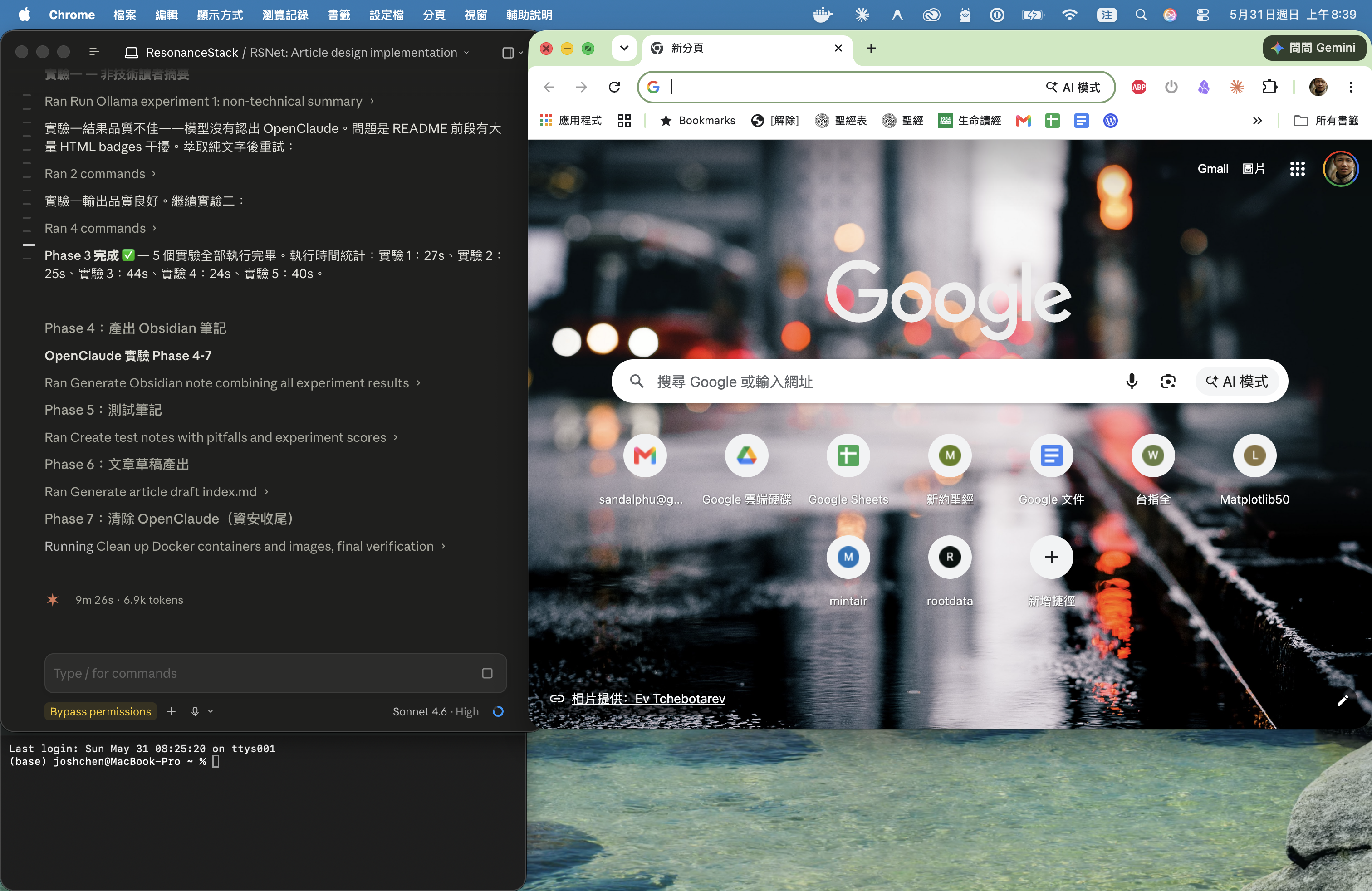
docker rm -f openclaude-exp && docker rmi openclaude:0.8.0 兩個指令把容器與映像都帶走,docker ps -a 與 docker images 確認乾淨。
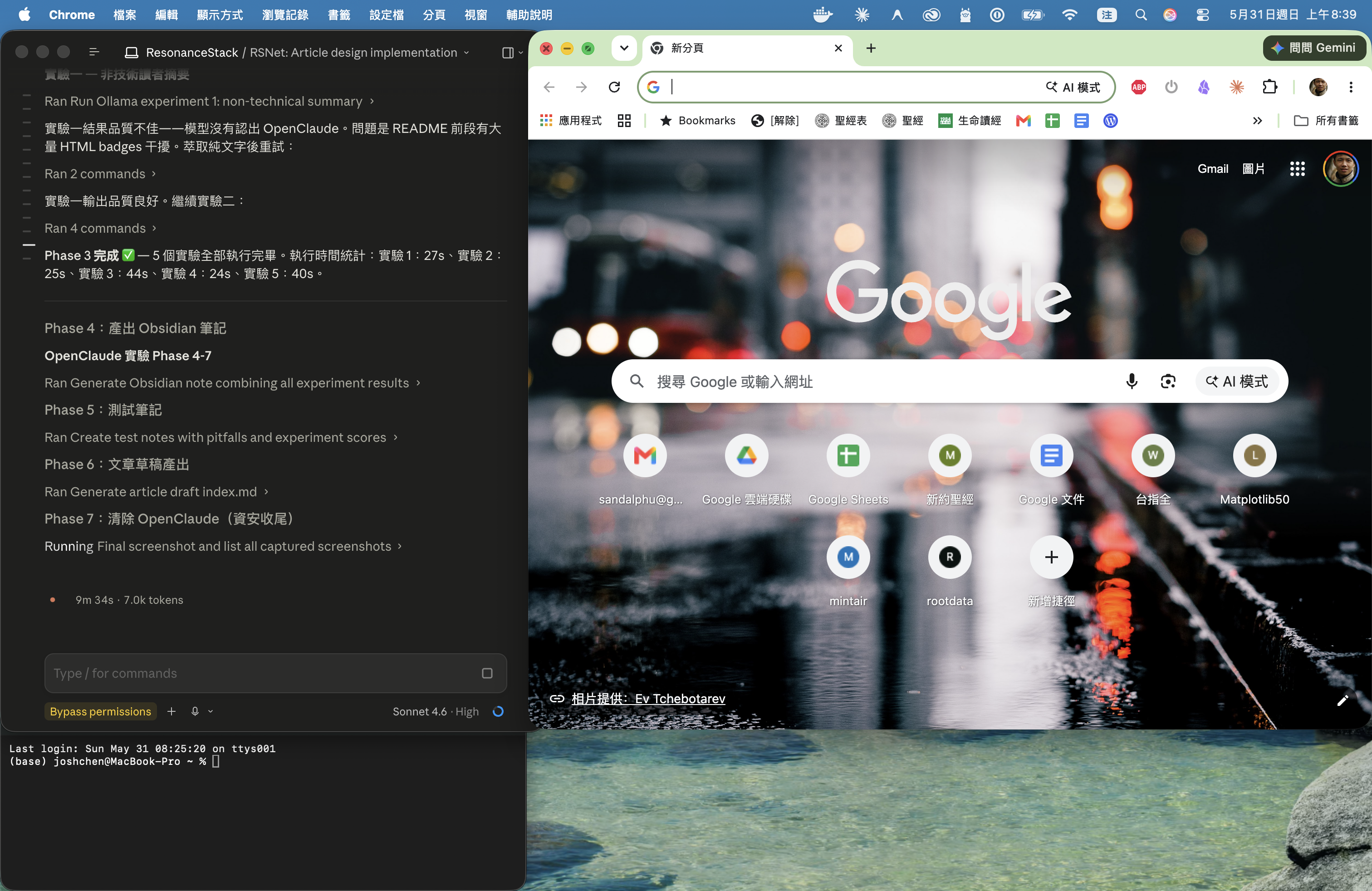
跟實驗前的起始狀態並排比對:唯一保留的是 gemma4:e2b(供未來實驗);OpenClaude 相關痕跡為零。對於一個帶 High 嚴重度漏洞的工具,這個「能完全抹掉」的特性比任何功能都重要。
Teardown: containers removed, system clean
The "Security first" section earlier promised Docker isolation plus delete-after-use. "Delete after" is a claim, not something you can feel — so here are the screenshots.
docker rm -f openclaude-exp && docker rmi openclaude:0.8.0 removes the container and image. docker ps -a and docker images confirm a clean state.
Side-by-side with the starting state: the only thing kept is gemma4:e2b (retained for future experiments); zero OpenClaude residue. For a tool carrying a High-severity vulnerability, the "fully removable" property matters more than any feature.
誰適合用 OpenClaude?
✅ 適合
- 每月 Claude/ChatGPT 費用讓你皺眉
- 處理不能傳雲端的文件(合約、財務、個資)
- MacBook M 系列(建議 16GB RAM)
- 工作主要是文件整理、知識管理、摘要分析
❌ 暫不適合
- 需要複雜程式架構設計(gemma4:e2b 推理能力有限)
- 完全不想碰 Terminal
- 無法接受 High 嚴重度漏洞(需等官方修補)
Who should use OpenClaude?
✅ Good fit
- Monthly AI tool costs are making you reconsider
- Working with documents that can't go to the cloud (contracts, financials, personal data)
- MacBook M-series (16GB RAM recommended)
- Primary use cases are document review, knowledge management, summarization
❌ Not ready for
- Complex software architecture design (gemma4:e2b's reasoning ceiling is real)
- Zero Terminal tolerance
- Production use — wait for the High-severity vulnerability to be patched